
Features › Route planning and dispatch
Route planning and dispatch
A day’s delivery notes become tours: put together by hand or proposed with one click. LogiTourTrack plans the daily delivery traffic of a mid-sized business with its own vehicles – it is not a route planner for hundreds of parcel stops.
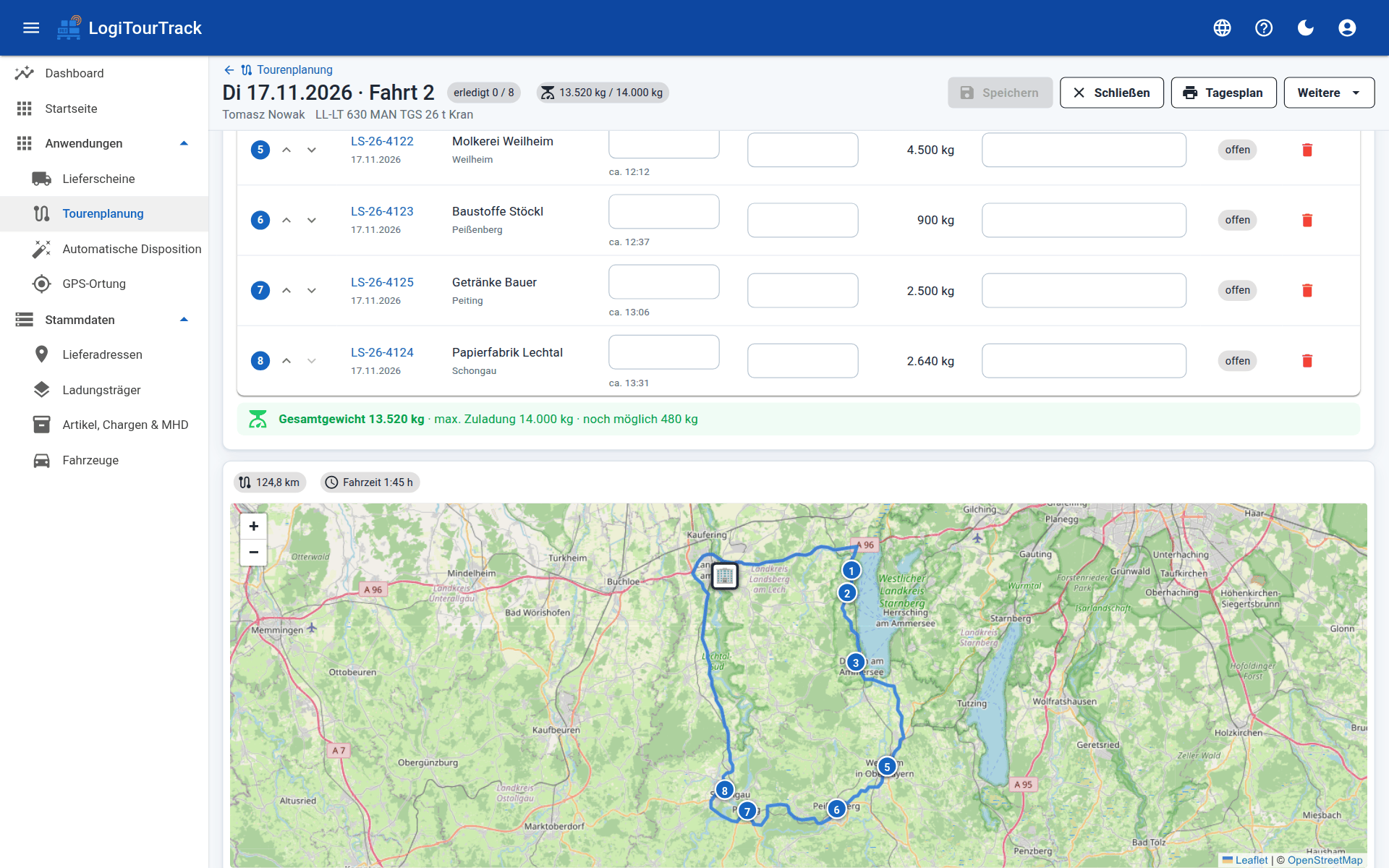
Planning tours by hand
A tour has a day, a driver, a vehicle and its stops. Via ‘Fetch delivery note’ you take over open delivery notes that have not yet been planned and put them in the desired order.
- Map with road route: The stops are numbered on the map, with the distance and driving time of the whole tour above it – optionally with start and end at the depot.
- Payload at a glance: For each stop the weight of the delivery note is shown, and below it the total against the vehicle’s maximum payload. If it is exceeded, route planning warns you; you can still save.
- Arrival times: You enter a fixed time for a stop. For all others, LogiTourTrack calculates the arrival and shows it as ‘approx. 08:20’.
- Optimise order: One click arranges the stops by shortest driving time by road. Stops with a fixed time remain in their chronological order.
- Note for the driver: a note per stop, for example ‘Don’t forget the weighbridge ticket’.
- Copy and take over: ‘Copy tour’ places a tour on a new day. Undelivered stops remain open and can be taken over into another tour.
- Printing: daily plan per driver and weekly plan for one or all drivers as a PDF or straight to the printer.
LogiTourTrack calculates driving times by road using road maps for Europe (excluding Russia). Where no road data is available, it estimates by straight-line distance and marks this.
Example: a tour by hand
- Doris Disposition creates the tour ‘Augsburg / Weil’ for today: driver Frank Fahrer, vehicle LL-ML 101 (12 t, curtainsider).
- Via ‘Fetch delivery note’ she takes over the delivery notes for Chemie Augsburg GmbH and for Baustoffe Lechner in Weil.
- Gate 5 in Augsburg closes at 12 noon. She gives the stop a fixed arrival in the morning and the remark ‘Augsburg first’.
- The map shows the road route from the Landsberg warehouse, and the totals row shows the total weight against a payload of 5,500 kg.
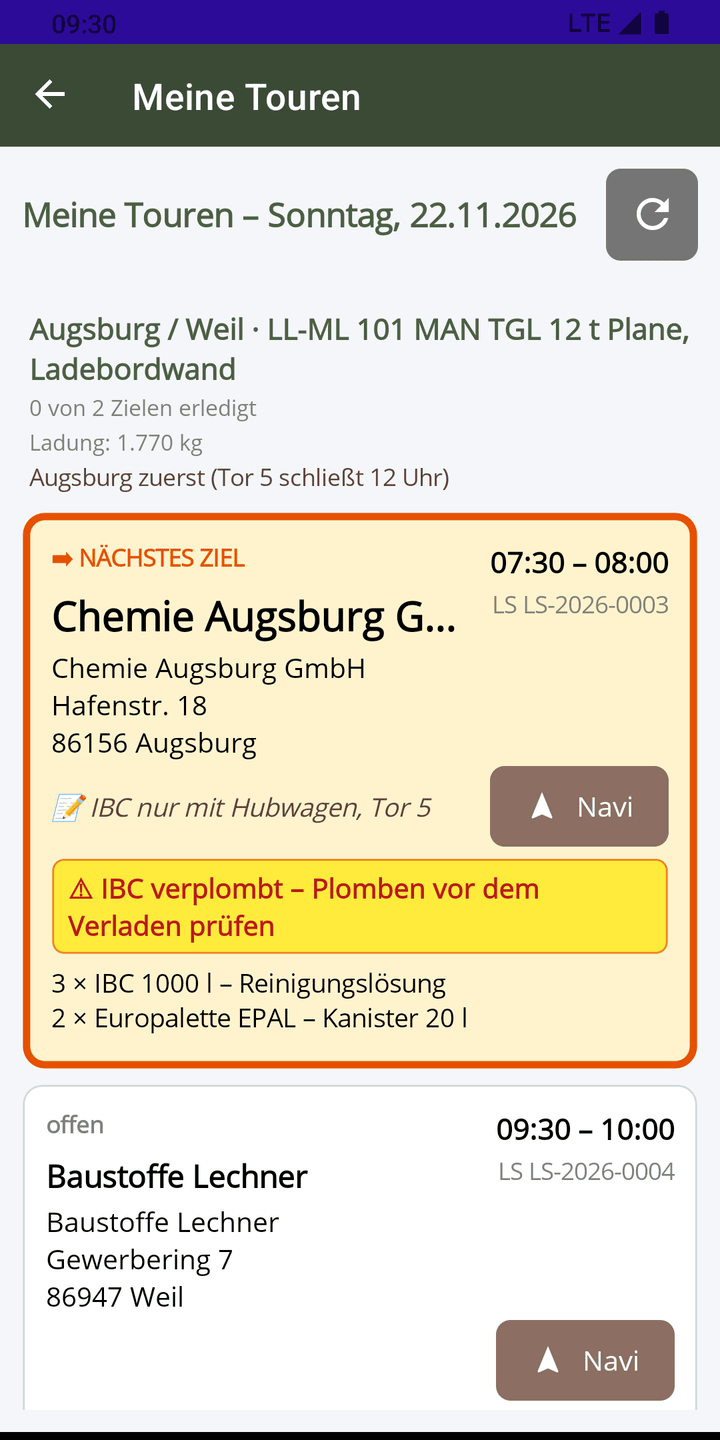
- After saving, Frank Fahrer sees the tour in the driver app under ‘My tours’.
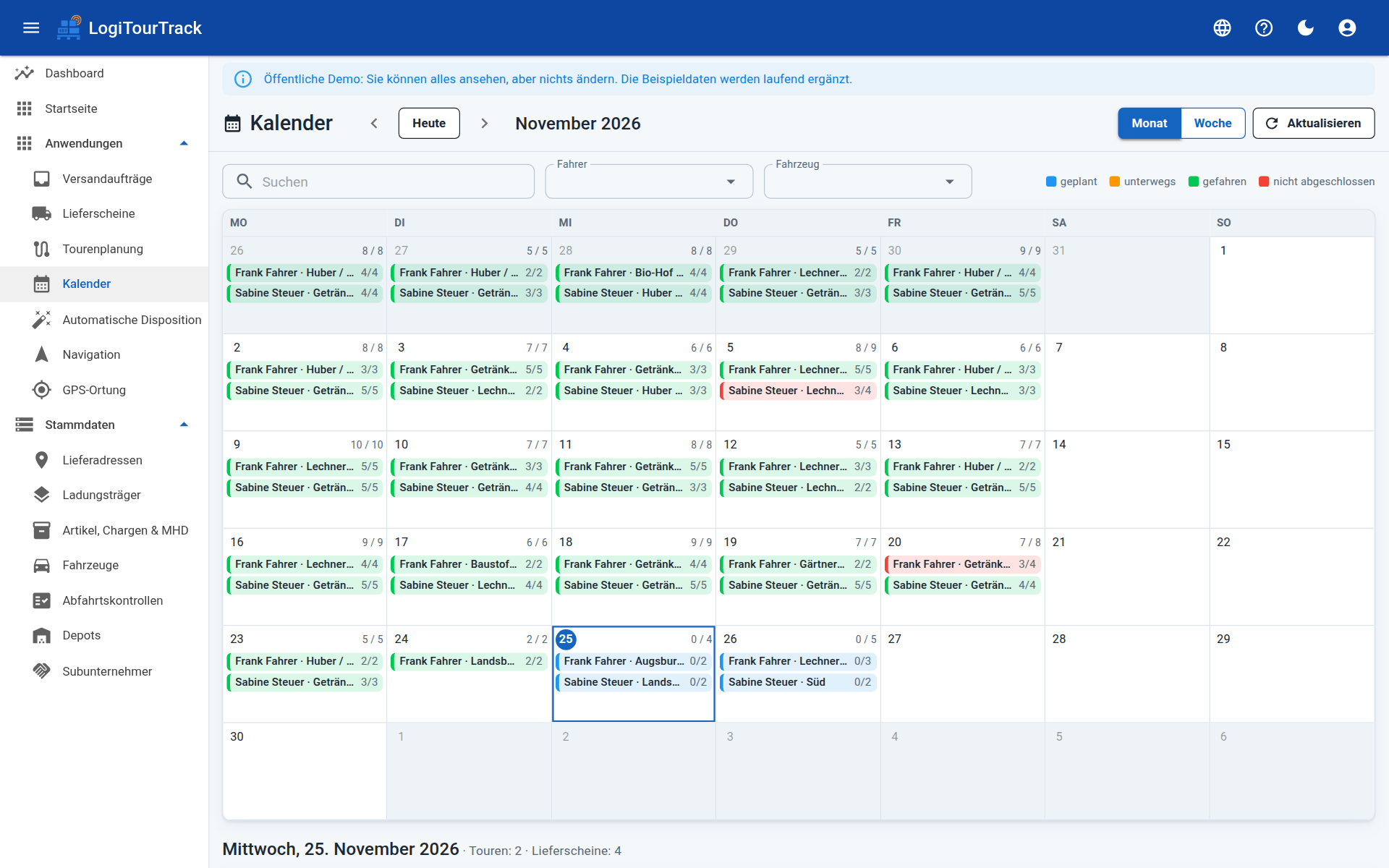
Calendar: planned and completed tours
The calendar shows all tours per day – as a month or as a week – and the delivery notes of each tour. You see at a glance what is planned, what is under way and what has been completed.
- Colour by state: planned, under way, completed or not completed – with the count of completed delivery notes on each tour.
- Delivery notes of the day: a click on a day lists the tours with driver and vehicle and below them each delivery note with time, delivery address and status – for delivered ones with the time of delivery.
- Search and filter: by driver, vehicle, delivery note number or delivery address – for example to see on which day a delivery was made.
From each tour one click leads to tour planning, from each delivery note number to the delivery note.
Automatic dispatch *
Automatic dispatch plans all of a day’s open delivery notes that have not yet been planned onto the free vehicles. You receive a proposal; only ‘Apply’ turns it into tours.
- Payload and pallet spaces of each vehicle are respected.
- Equipment: If a delivery address requires, for example, a tail lift, refrigeration or dangerous goods equipment, only a suitable vehicle is considered.
- Receiving times and dwell time per delivery address, and differing ones per delivery note; plus a weight limit for access.
- Operating hours and driving break: operation from–to per vehicle, one break of 45 minutes and a second one for operation of more than 9 hours. Dispatch does not calculate daily and weekly rest periods.
- Working time per driver: Start of work, end of work and maximum working time limit the deployment.
- Truck profile: Driving times and routes take height, width, length, gross weight and axle load into account.
- Multiple trips: A vehicle can reload at the depot and set out a second time.
- Shipping orders are added if their delivery window includes the day.
The proposal shows the tours on the map and, for each vehicle, the trips with departure, return, break, arrival times, weight and pallet spaces. Anything that could not be planned is listed below with the reason. With the pin you assign a delivery note permanently to a vehicle and have the plan recalculated.
Dispatch can also be started and applied via the REST and MCP interface. Manual route planning remains fully usable without the add-on module.
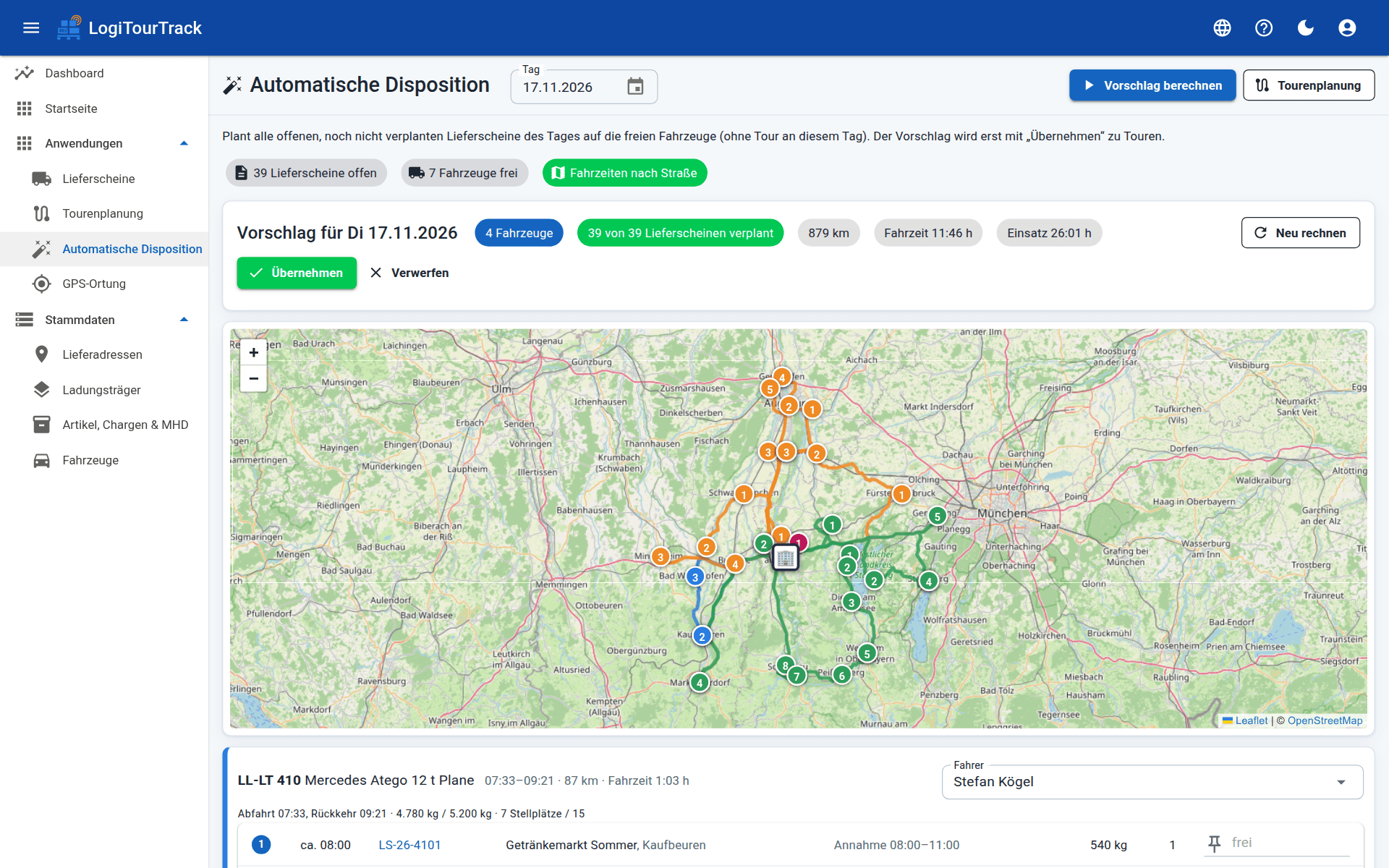
Example: dispatching the next day *
- For tomorrow, three delivery notes have not yet been planned: Getränke Huber, Huber Markt Kaufering and Gärtnerei Blum in Weilheim. The refrigerated box van LL-ML 202 already has a tour; the 12-tonner LL-ML 101 is free.
- Doris Disposition opens ‘Automatic dispatch’, selects the day and clicks ‘Calculate proposal’.
- The proposal puts all three on LL-ML 101: the store in Kaufering has no loading dock and accepts goods until 11 a.m. – the vehicle has a tail lift, and the calculated arrival is within the receiving time.
- She checks departure, arrival times and return, confirms Frank Fahrer as the driver and clicks ‘Apply’. The tour appears in route planning and in the driver app.
Multiple depots
Depots are locations where vehicles start, reload and end their day. You create them in the master data and assign each vehicle its depot; without a depot, the head office applies.
- In route planning, the depot is the start and end of the tour, pre-filled from the vehicle.
- Automatic dispatch plans each vehicle from its depot and shows all depots on the map. *
- If you wish, a vehicle may also reload at another depot. LogiTourTrack does not check whether the goods are available there; the setting is therefore off initially. *
Re-planning and rush orders *
If another delivery note is added after planning, you switch on ‘Re-planning’ in automatic dispatch. It inserts new delivery notes into the day’s existing tours and also uses free vehicles for this.
- The open stops of a tour stay with their vehicle; new ones may be added.
- If a vehicle is already on the road, re-planning calculates from its location: the last GPS position, otherwise the last delivery. It finishes its loaded stops; anything new goes onto a follow-up trip from the depot.
- When the proposal is applied, the existing tours are updated. The driver receives the notice ‘Tour has been changed’ in the app.
Vehicles and subcontractors
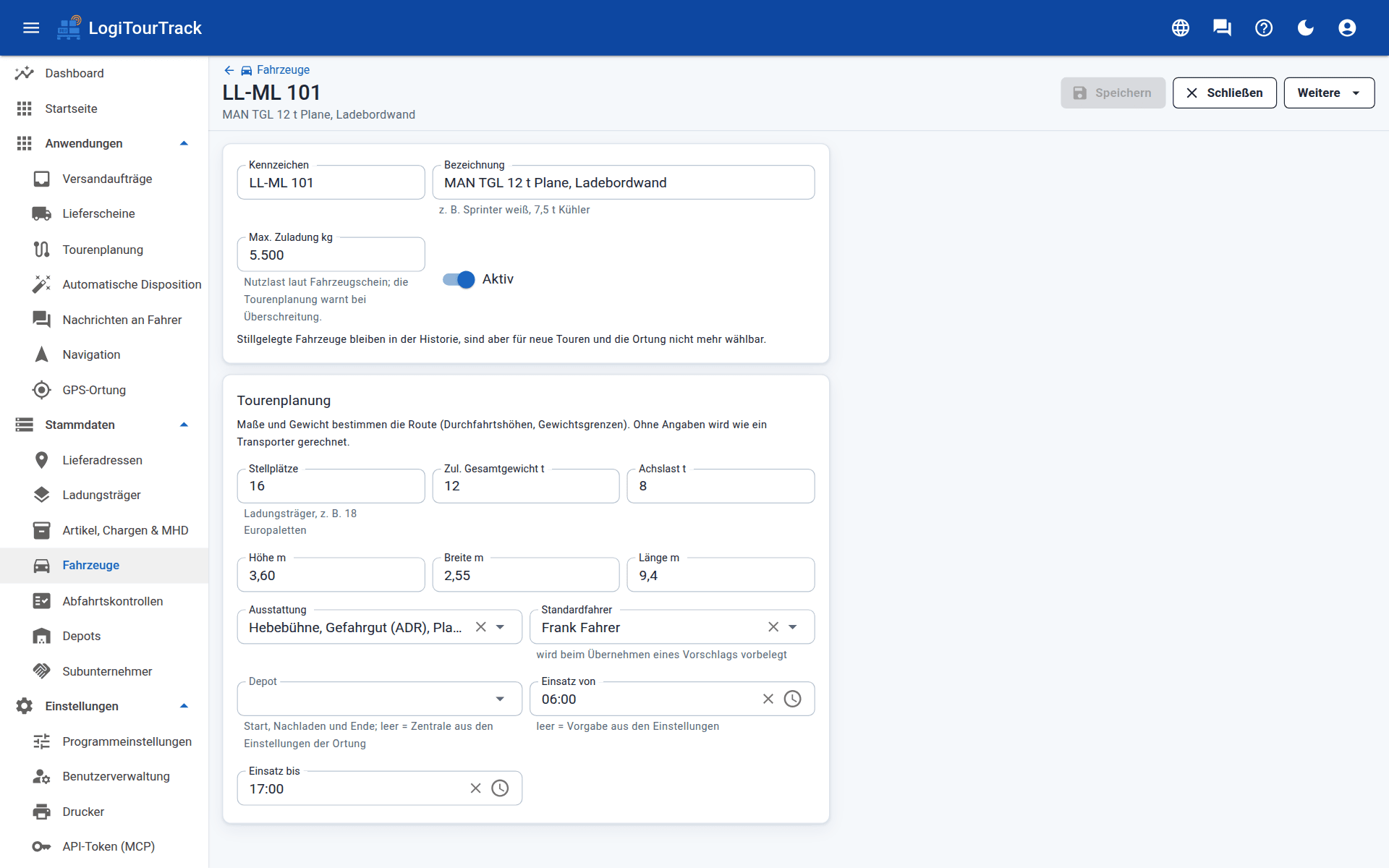
With the vehicle you store what planning needs: maximum payload, pallet spaces, height, width, length, gross vehicle weight, axle load, equipment, operating hours, default driver and depot. Dimensions and weight determine the route; without these details, the calculation is made as for a van.
- Subcontractors drive on your behalf with their own vehicles. You assign vehicles and users to them and plan the vehicles like your own.
- Own access: A user of the subcontractor sees only its vehicles, their tours and the associated delivery notes.
- In the licence, subcontractors’ vehicles count like your own.
The driver sees their tour in the app
- My tours: the day’s stops in order, with fixed time or calculated arrival, the notes from dispatch and the weight of the load. A tap on a stop opens goods delivery.
- Load tour: the stops for today and the next tour day with loading status.
- Tour has been changed: If dispatch changes a tour, the app reports new and dropped stops, a changed order and changed times.
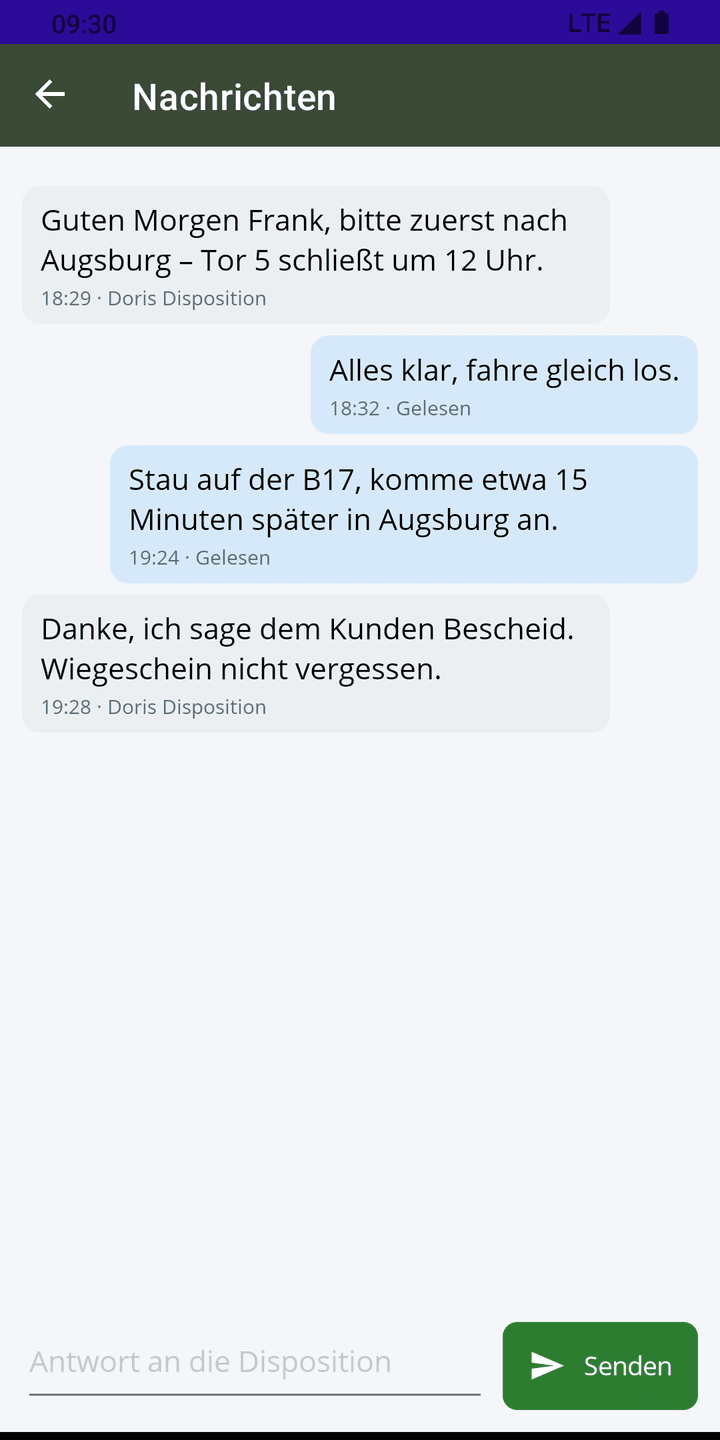
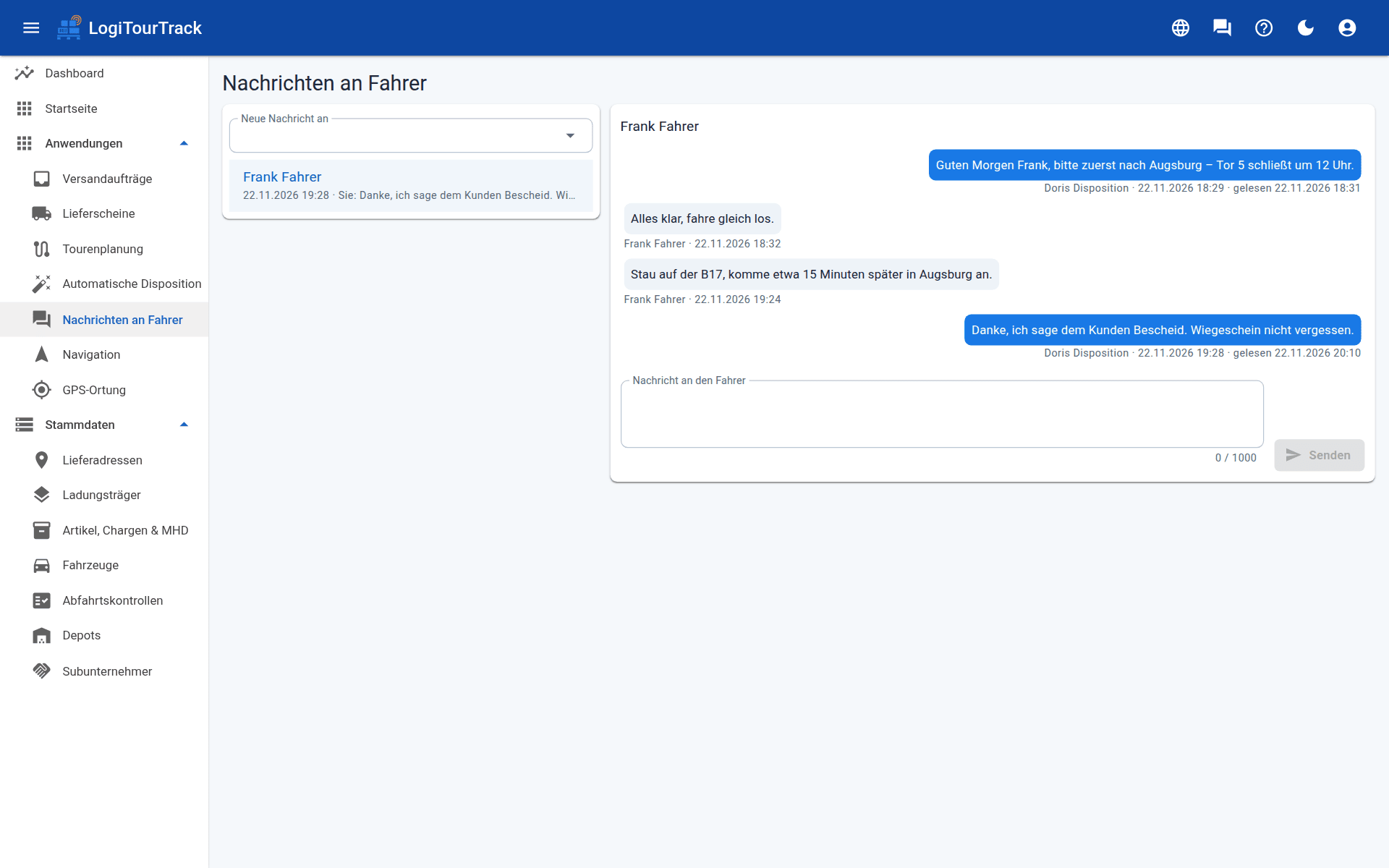
- Messages: Dispatch writes to a driver or about a tour, and the driver replies in the app. Both sides see when a message was read. Without a network connection, the reply waits and is transmitted later.
* Add-on module ‘Automatic dispatch’: added to the subscription in the customer account, 4,00 € per vehicle per month (net). It is included in the demo version.
Try it out
Free for 30 days, with your own address and, if you wish, with sample data.